AI Headshots for LinkedIn: Your Complete 2025 Guide
Your LinkedIn photo is your first impression with recruiters and connections. A professional headshot can increase profile views by 14x and messages by 36x. Here's how to get the perfect LinkedIn headshot using AI - in 60 seconds for just $7.
Free preview • From $7 • Ready in 60 seconds
See the Difference
Real transformations from selfies to professional LinkedIn-ready headshots
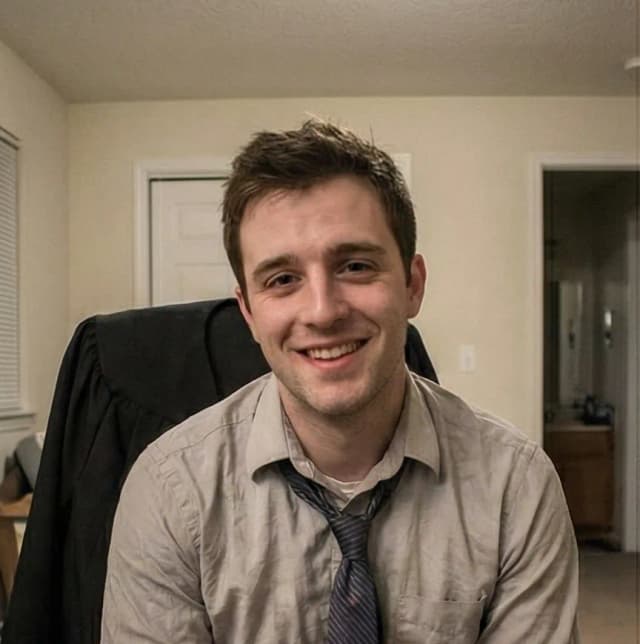 Before
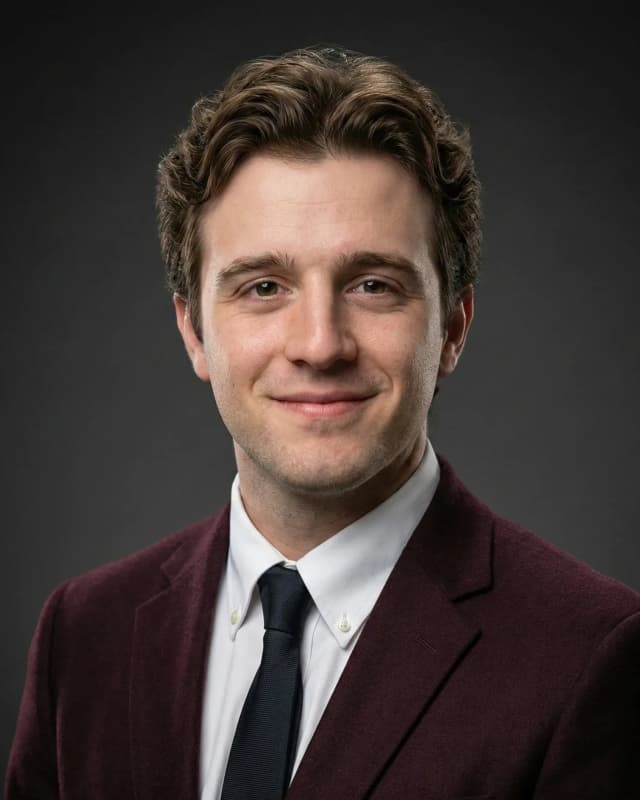 After
AfterDavid
LinkedIn-ready in 60 seconds
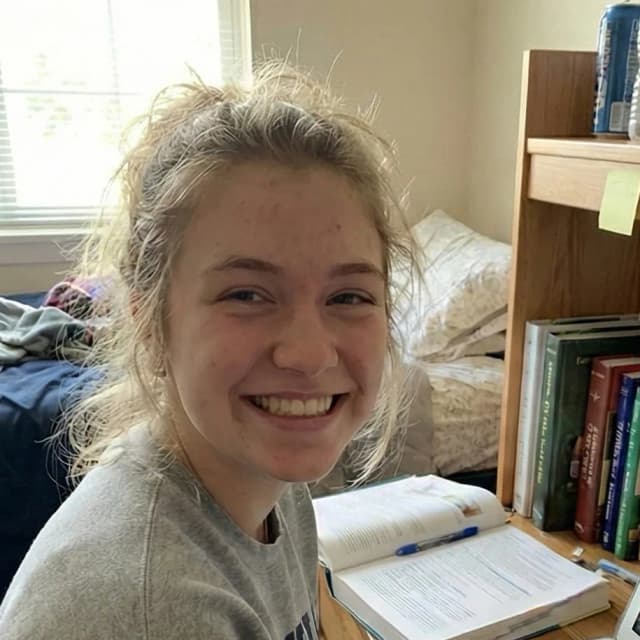 Before
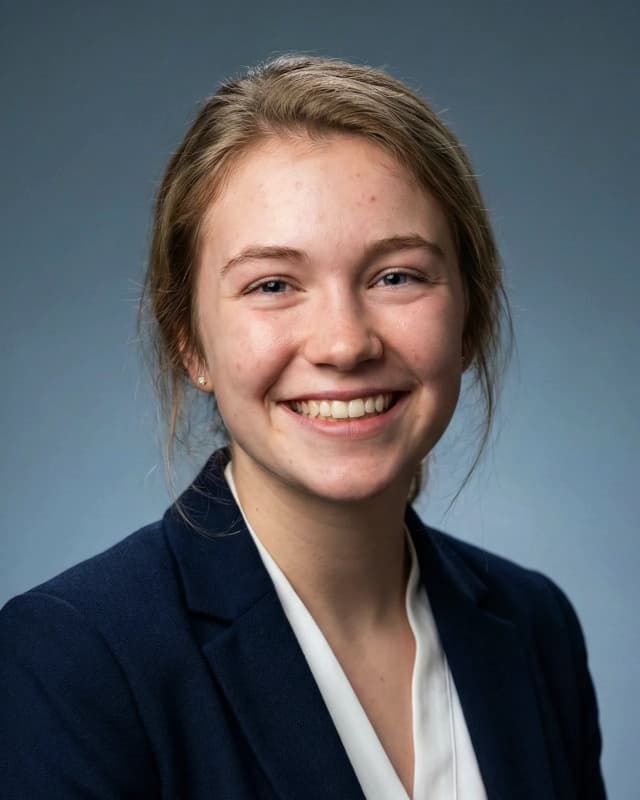 After
AfterLauren
LinkedIn-ready in 60 seconds
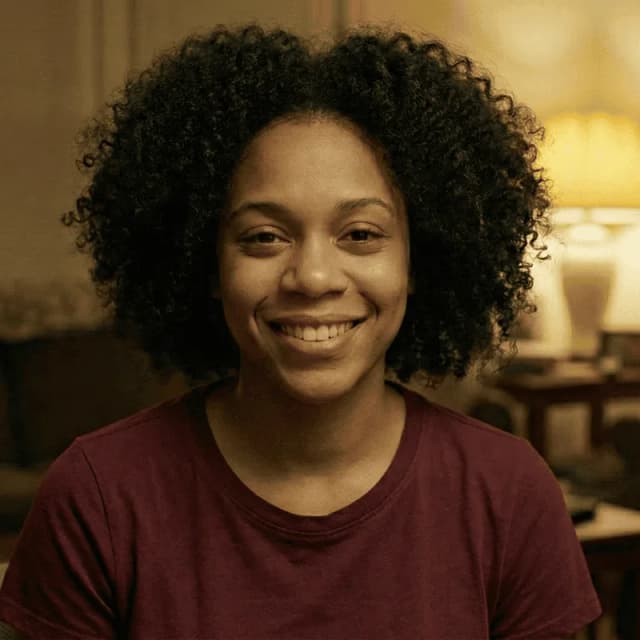 Before
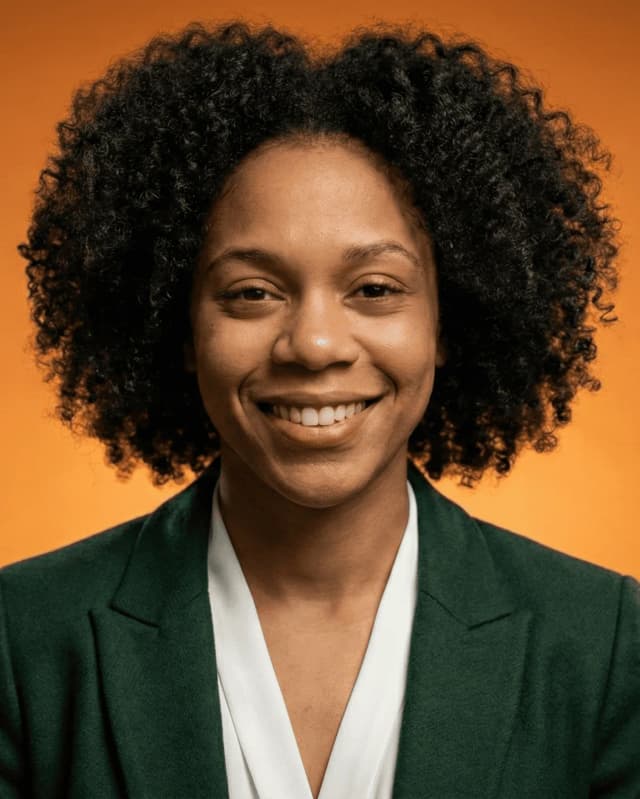 After
AfterMaya
LinkedIn-ready in 60 seconds
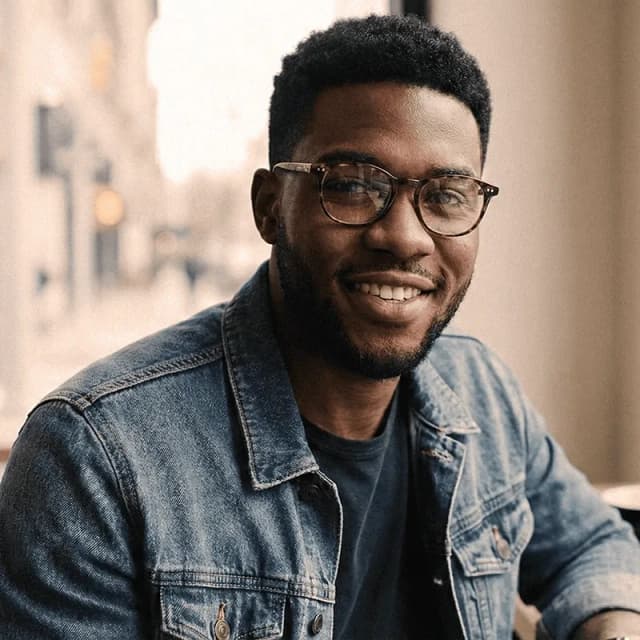 Before
 After
AfterMichael
LinkedIn-ready in 60 seconds
Why Your LinkedIn Photo Matters (Research-Backed)
14x More Profile Views
LinkedIn's own research shows profiles with professional photos receive 14 times more views than those without. That's the difference between being seen and being invisible.
36x More Messages
Profiles with quality headshots receive 36 times more connection requests and messages. Recruiters are far more likely to reach out when they can put a face to your profile.
40% Higher Response Rate
When you reach out to others, a professional photo increases your response rate by 40%. People trust and engage more with complete, professional profiles.
What Makes a Good LinkedIn Headshot
Whether you use AI or traditional photography, these are the qualities of an effective LinkedIn photo:
Do This
- Professional attire appropriate to your industry
- Clean, simple background (solid colors work best)
- Good lighting on your face (natural light ideal)
- Friendly expression with a natural smile
- Head and shoulders framing (face fills 60%+)
- Recent photo that looks like you today
- High resolution (400x400px minimum)
Avoid This
- Cropped group photos (looks unprofessional)
- Selfies at arm's length (distorted perspective)
- Vacation/party photos (wrong context)
- Heavily filtered photos (look artificial)
- Outdated photos (5+ years old)
- Distracting backgrounds (messy office, etc.)
- No photo at all (signals incomplete profile)
LinkedIn's Official Photo Guidelines
- • Minimum size: 400 x 400 pixels
- • Maximum file size: 8 MB
- • Supported formats: JPG, PNG, GIF
- • Your face should take up 60%+ of frame
How to Get an AI Headshot for LinkedIn (3 Steps)
Upload Your Selfie
Take a clear selfie with your phone. Natural lighting (by a window or outdoors) works best. Face the camera directly and use a neutral expression. That's all you need - just one photo.
Preview Your Headshot (Free)
Our AI generates your professional headshot in about 60 seconds. You'll see a free preview before paying anything - no commitment required. If you're not satisfied, you can try with a different photo.
Download & Upload to LinkedIn
Happy with your preview? Pay $7-$19 and download your high-resolution headshot (2000x2000px). Upload directly to LinkedIn - it exceeds LinkedIn's recommended dimensions and works great on all devices.
See your headshot in 60 seconds
AI Headshots vs. Traditional Photography for LinkedIn
| Factor | AI Headshots | Traditional |
|---|---|---|
| Cost | $7-$50 | $200-$500 |
| Time to Get | 60 seconds | 1-2 weeks |
| Photos Needed | 1 selfie | In-person session |
| Quality | Professional | Professional |
| Convenience | From home | Travel to studio |
| Preview | Free preview | Pay first |
The Bottom Line
For LinkedIn purposes, AI headshots deliver comparable results at 95% less cost and in 1/10,000th the time. Traditional photography still has value for high-profile executive portraits, but for most LinkedIn users, AI is the smarter choice.
Can I Use an AI Headshot on LinkedIn? (Yes!)
LinkedIn's Official Position
LinkedIn permits AI-enhanced photos as long as they accurately represent your appearance. The platform focuses on authenticity, not the creation method. Millions of professionals use AI headshots without issue.
Can Recruiters Tell?
In blind tests, HR professionals and recruiters could not reliably distinguish AI headshots from traditional photography. Quality AI headshots look natural and professional. Recruiters care about professionalism - not whether you visited a photography studio.
Industry Adoption
44% of US professionals say they would use AI for their headshots. From Fortune 500 executives to job-seeking graduates, AI headshots have gone mainstream. You're not taking a risk - you're joining a growing trend.
Best LinkedIn Headshot Style by Industry
Finance & Consulting
- • Professional suit/blazer
- • Conservative colors (navy, black, gray)
- • Clean, solid background
- • Confident, friendly expression
Tech & Startups
- • Smart casual acceptable
- • Solid colors work well
- • Modern, approachable vibe
- • Can be slightly more relaxed
Creative Industries
- • More creative expression OK
- • Personality can shine through
- • Still professional quality
- • Avoid overly casual looks
Healthcare & Legal
- • Conservative, professional attire
- • Trust-building expression
- • Clean, traditional look
- • White coat/professional wear
FAQs About AI Headshots for LinkedIn
Can I use an AI headshot on LinkedIn?
Yes! LinkedIn allows AI-enhanced photos as long as they accurately represent your appearance. AI headshots are used by millions of professionals worldwide and are indistinguishable from traditional photography.
Will recruiters know my headshot is AI-generated?
No, quality AI headshots are virtually indistinguishable from professional photography. In blind tests, HR professionals couldn't reliably identify AI-generated headshots. Recruiters care about professionalism, not creation method.
What size should my LinkedIn headshot be?
LinkedIn recommends 400x400 pixels minimum, with 8MB max file size. HeadShotCreate outputs at 2000x2000px, which is optimal for all uses including high-resolution displays and printing.
How much does an AI LinkedIn headshot cost?
AI headshots for LinkedIn range from $7-$50 depending on the service. HeadShotCreate starts at $7 for a single headshot or $19 for a pack of 5 with different styles.
How long does it take to get an AI headshot?
HeadShotCreate delivers results in about 60 seconds. Other services like HeadshotPro and Aragon AI can take 1-2+ hours. Traditional photography typically takes 1-2 weeks.
What makes a good LinkedIn headshot?
A good LinkedIn headshot has: professional attire appropriate to your industry, good lighting on your face, a clean background, friendly but professional expression, head and shoulders framing, and high resolution (at least 400x400px).
Ready to Upgrade Your LinkedIn Profile?
Join thousands of professionals who've boosted their LinkedIn presence with AI headshots.
Free preview • From $7 • Ready in 60 seconds